A LinkedIn account is a valuable tool for students to use for professional networking and building connections.
Creating a LinkedIn Profile

Setting up a LinkedIn account is very similar to setting up most social media platforms. You are going to want to head to the LinkedIn website to create your profile. Enter the information prompted and then follow the steps below:
LinkedIn members who use a profile picture get far more views than those who do not, so this is an important step (Schinkten, 2018). You can change or edit your profile picture at any time. Use a recent photograph that allows people to see your face and is not too zoomed out. Have a good quality professional photo. Adding a background image is not required but recommended to really make your account pop and stand out to everyone else. Choose a clear and professional background photo.
Your headline is one of the first things people see on your profile, so you want it to be powerful. Your student account will default to “student at school” but you have the ability to change this. Most profiles have their title and their job company as their headline. You can customize your headline to add what kind of student you are such as Business Administration or Engineering. You can say what you are aspiring to be or what you are passionate about to show a bit of your personality.
The summary which is also very important. You can use this as an opportunity to share some of your accomplishments, career goals and mission statement. You want to list all of these and more. Create a summary saying who you are and what intrigues people about you, as well as your interests too. Then at the end of your summary, you can make a bullet point list of your areas of expertise. This allows the reader to see these key points if they are just skimming through your summary and don’t want to read it all. These keywords will bring people to your profile as well, so spend some time thinking about the ones that relate to you and your industry you are trying to promote.
You should add all of your work experience to your profile including summer jobs and internships. You want to add the job title, location and when you worked there as well as include some of your tasks there. You can also include a media link if you desire. You can also choose if you want to share this work experience change with your network, which will post it for your connections to see. You can also add your volunteer experience to your profile for volunteering you are actively participating in.
The educational part of your LinkedIn profile is important while you are a student. You can list the school you are attending as well as what major or degree you are working towards. You can add your high school, as well as tech schools. You can also add past degrees or masters. You can also add activities such as clubs, societies, or other extracurriculars with a description. You can add your GPA if you are proud of it!
Add skills. This part is really cool because you can add skills from a list that you believe relate to you and your career. Your connections can then go and endorse you for these skills, which will show on your profile that this many people have endorsed or supported these skills on you. If you have a hard time choosing skills, ask your coworkers, classmates and mentors. This is great for students that don’t have job experience to show, but these skills that are backed up.
There is an option to get recommendations on your profile. This is a lot like asking someone to write a recommendation letter for you. This is a bit more in depth than just endorsing a skill, but it is valuable to have on your LinkedIn page from someone like a teacher, boss, or co-worker. On their profile, you can click more and click request a recommendation. It will bring up a few questions you have to answer that are self-explanatory but asking is valuable.
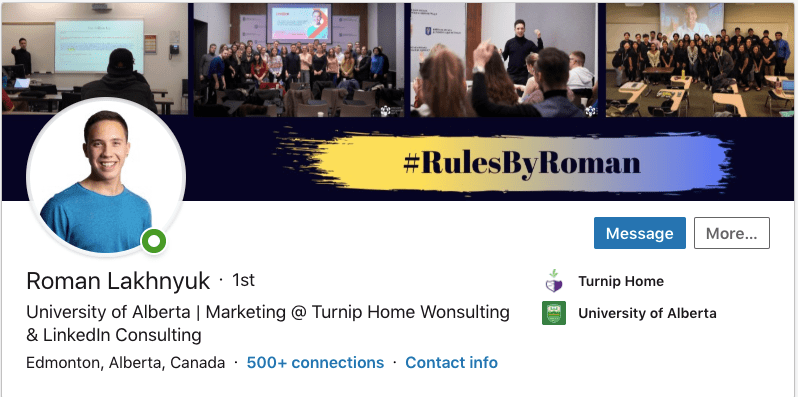
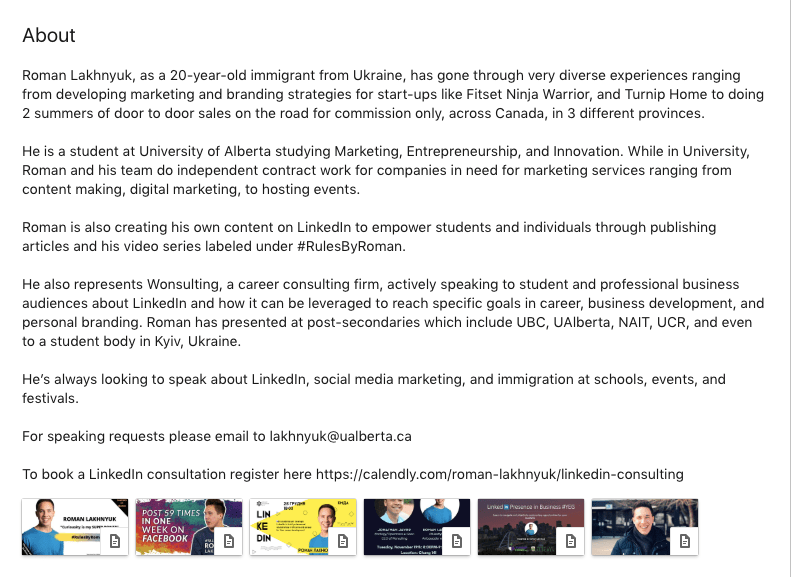
This is a lot of information to take in when it comes to creating your profile, but I think having an example is good. My friend is very into LinkedIn and does presentations at schools and businesses on how to use and improve your LinkedIn and works for Wonsulting that consults about LinkedIn. He has given me permission to use his profile as an example in my paper, so I want to show you a basic overview of his page so you can see what an effective and well utilized profile looks like when creating everything summarized above. Click here to see his whole profile.
Build Your Network
According to the 2017 Global Talent Trends, two of the most popular ways that companies find new hires are through employee referrals and social professional networks (Schinkten, 2018). This is why having a LinkedIn profile that is professional is important when you are building your profile. LinkedIn lets you connect and collaborate with other individuals in your industry, so building that big network is important. Building your network, you have different people (Schinkten, 2018):
- The advocate: someone you know on a personal level
- The strategic-in: someone who is well connected
- The subject matter expert: offers superior insight on a specific industry
LinkedIn is a way to connect with people on a professional level. There are many different ways to build your network: see suggested people, search people in the bar, search keywords and so much more. The easiest way to do this is to play with it by yourself and dedicate time to building your professional profile. The alumni tool and university pages are also useful to find people as well. You can use LinkedIn groups which are trusted communities to expand your network also.
Using LinkedIn Day-to-Day
The first way to utilize LinkedIn is through scrolling through your news feed and being engaged. You can:
- comment on people’s updates, react, and post your own professional content.
- follow companies and influencers to stay engaged and learn tips and tricks to improve your own LinkedIn.
- share your job updates and your accomplishments.
- publish articles that relate to your passions, industry and job to stay relevant and engaged on the feed.
- message different people to build connections, create networks, and learn about the industry.
Roman is really good at using LinkedIn day to day, and he isn’t afraid to message people asking for advice and to meet for more experience, connections, and it is really useful.
Job Search and Company Research
A way to explore potential careers is to just search for companies you want to work for. You can learn about the company and see potential positions by using the “see jobs” tool on their page. You can also search profiles of other professionals in your desired careers or just search some of the keywords of your desired careers. Company pages are full of valuable information related to a company. If you have premium account, you have access to the company insights page which can be useful for your needs.
The biggest thing is to set up job alerts if you are actively looking for a job. When you filter down a search to criteria, you can see all the jobs that fit these criteria, you can create search alert. When jobs that fit these criteria come out, you will get alerted on your account.
Manage Your LinkedIn Account
Personally, for students, I don’t think using LinkedIn Premium is the best tool as students have a small budget. There is so much LinkedIn offers for free that is so good for students. You can explore your personal settings and ensure your privacy is set to how you want it, as you should for any social media. Your account can be a reflection of who you are and what you want from your account.
It is a good idea from time to time to download your data from LinkedIn to use for your resume. In the Settings & Privacy tab, click Account then click Download Your Data. You can download and archive all of your data here in different ways, depending what you want. This is also good in case your account ever gets deleted so you can get your account back to where it was and not start from the bottom.
My Personal LinkedIn
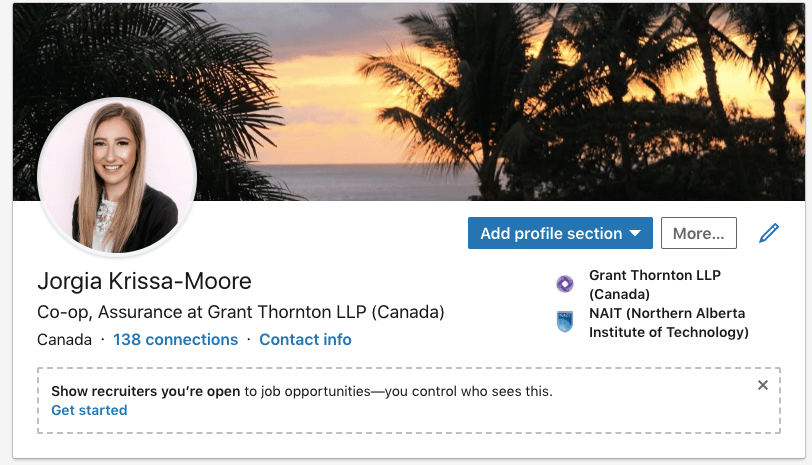
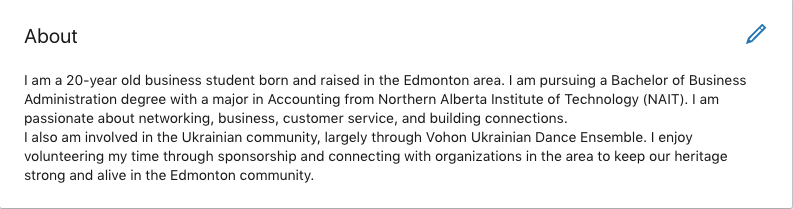
After learning this information, I made some changed to my summary as I felt like my summary was short and not effective. I also added a cover photo to make my profile pop more as it is easy to do.
Overall, I think I need to check my LinkedIn more regularly and be more engaged on my news feed. If I start with dedicating time once a week to interact, engage, and find more connections I think my results will be stronger. This was a good eye-opening assignment to use LinkedIn more frequently and with a bigger purpose to get everything this platform offers. It is also a reminder to stay professional on this platform.
Works Cited
Schinkten, Oliver. 2018 October 18. Learning LinkedIn for Students. Retrieved from: https://www.linkedin.com/learning/learning-linkedin-for-students/welcome?u=2109516
 Marketing with J